2025
UX/UI Designer
Native Mobile · iOS & Android · Critical User Flows · UX Patterns · Accessibility · Product Design
Native Mobile · iOS & Android · Critical User Flows · UX Patterns · Accessibility · Product Design
My role
As UX/UI Designer, I redesigned key parts of the Picasse emergency alerting experience across iOS and Android.
My focus was on simplifying critical user flows, reducing confusion during registration and incidents, and creating a more consistent and accessible experience across both platforms.
I worked on the registration flow, alert handling and new communication features, while also helping define clearer interaction patterns for organisations with multiple locations and emergency response teams

Impact
• Simplified the registration flow by reducing complexity and introducing clearer feedback and error handling.
• Improved consistency across iOS and Android through shared UX patterns and a refreshed visual direction.
• Made critical alert flows easier to understand in situations where speed and clarity are essential.
• Designed logic for multi-location organisations so alerts could reach the correct emergency response teams.
• Introduced new communication patterns for video calling, walkie-talkie functionality and escalation to additional responders.
• Improved consistency across iOS and Android through shared UX patterns and a refreshed visual direction.
• Made critical alert flows easier to understand in situations where speed and clarity are essential.
• Designed logic for multi-location organisations so alerts could reach the correct emergency response teams.
• Introduced new communication patterns for video calling, walkie-talkie functionality and escalation to additional responders.
The challenge
Picasse, known for BHV Alarmering, helps organisations communicate quickly with their emergency response teams during critical situations.
The existing registration process had become too complex. Users could get stuck, important feedback was missing and error states were not always clear.
At the same time, the experience had become inconsistent across Android and iOS.
There was also a more fundamental product challenge. Organisations with multiple locations or buildings needed to make sure the right emergency responders were contacted during an incident. In an emergency context, unclear routing or unnecessary steps can quickly create confusion.
The goal was therefore not only to modernise the interface, but to make the product easier to understand and more reliable in moments where users may already be under pressure.



Simplifying registration
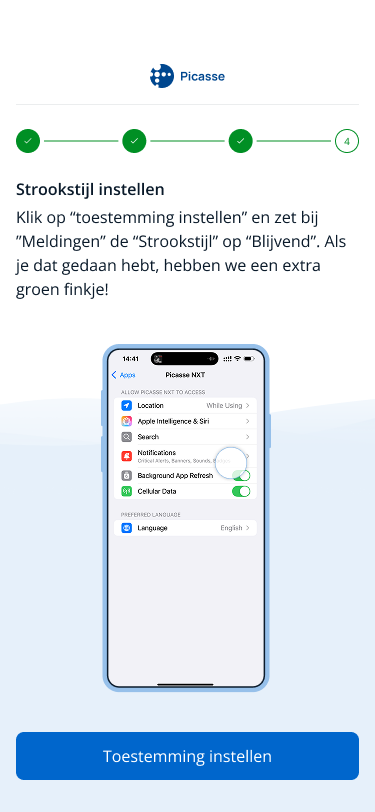
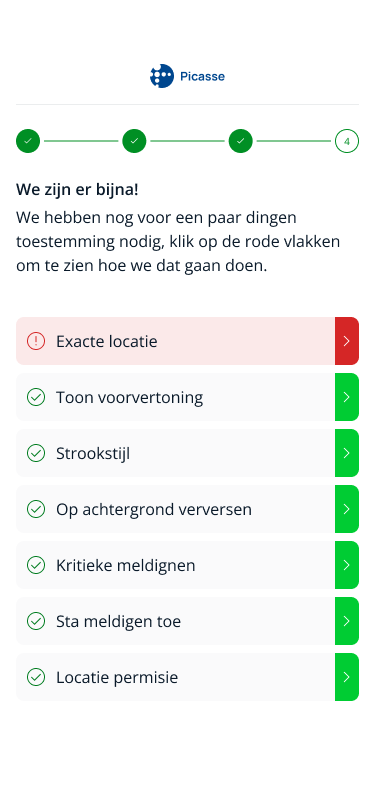
The registration flow was one of the first areas I redesigned.
The existing process required too much from users at once and did not always provide enough feedback when something went wrong.
I restructured the flow into clearer steps and introduced more explicit validation, error states and feedback moments.
The aim was to reduce uncertainty and make it clear what users needed to do, what had already been completed and how to recover when something went wrong.
Designing for emergency situations
Emergency-response products require a different approach from many everyday apps.
Users may need to act quickly, sometimes while distracted or under pressure. Important actions therefore need to be immediately understandable and system feedback needs to be clear.
I focused on:
• clear prioritisation of critical actions;
• reducing unnecessary steps;
• understandable status and feedback messages;
• predictable interaction patterns;
• accessible visual hierarchy;
• consistency between iOS and Android.
The visual design was refreshed to feel more modern while keeping urgency, reliability and clarity at the centre of the experience.



Alert handling
I also redesigned parts of the alert process.
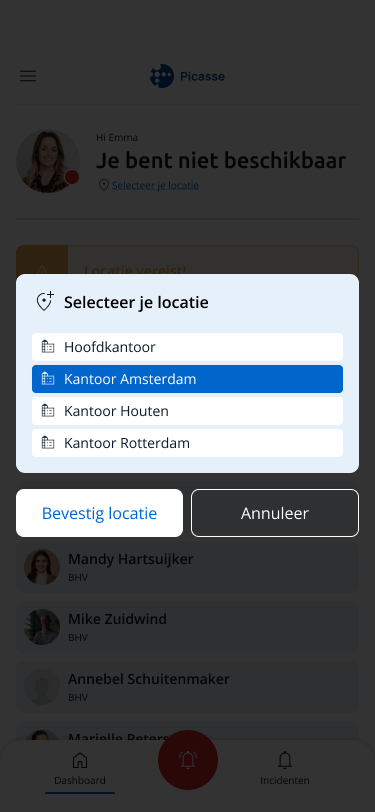
A key challenge was making sure alerts reached the right people, especially for organisations operating across multiple buildings or locations.
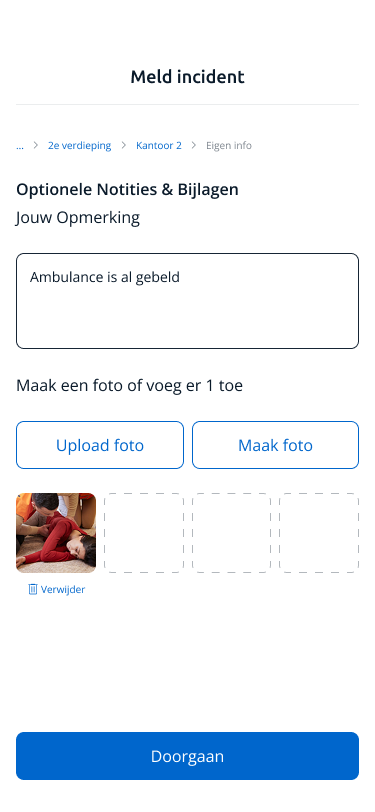
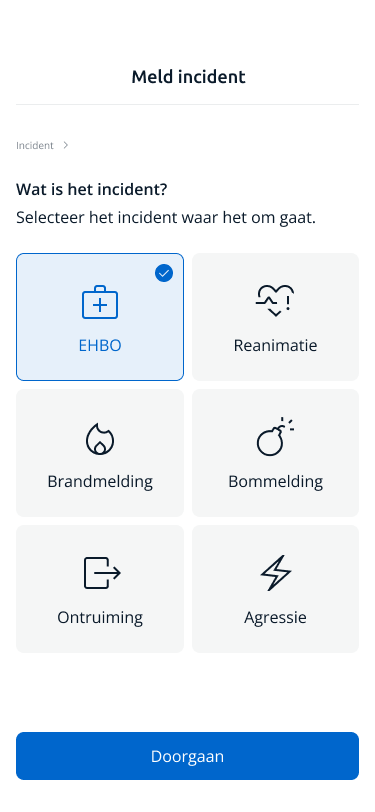
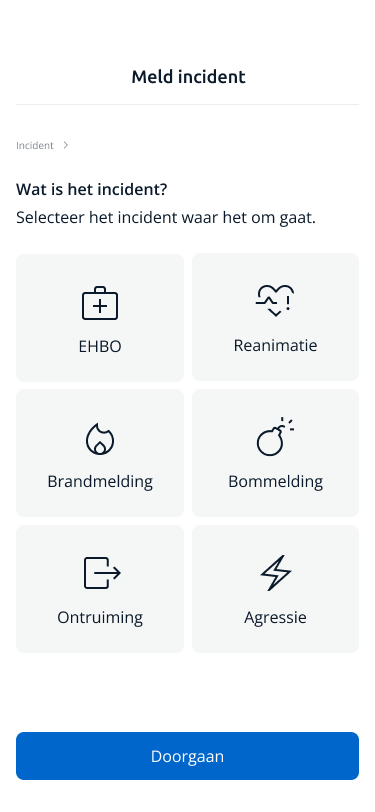
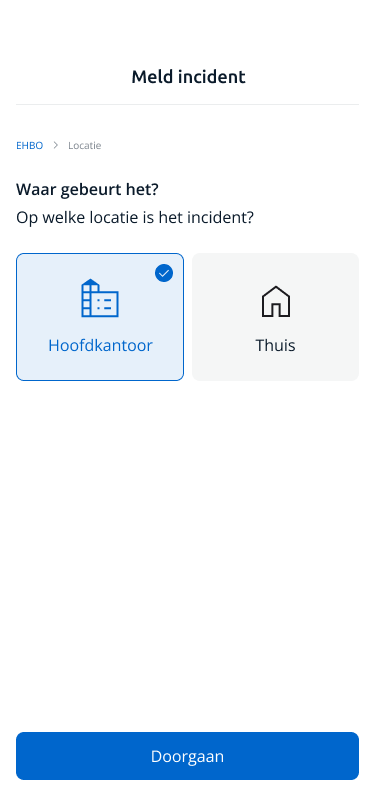
The interaction model needed to make the relationship between organisation, location, incident and response team understandable without adding unnecessary complexity for the user.
I designed flows that allowed alerts to be routed to the appropriate BHV teams while keeping the experience simple for the person initiating or responding to an incident.
Escalation and communication
The product also needed more flexibility once an incident was active.
I designed new functionality around:
• escalating an alert to additional responders;
• video calling;
• walkie-talkie communication;
• involving additional teams when an incident required more support.
These features needed to fit naturally into the existing incident flow rather than becoming separate tools users had to understand during an emergency.
My focus was therefore on integrating them into the wider product logic and keeping the number of decisions users had to make as low as possible.






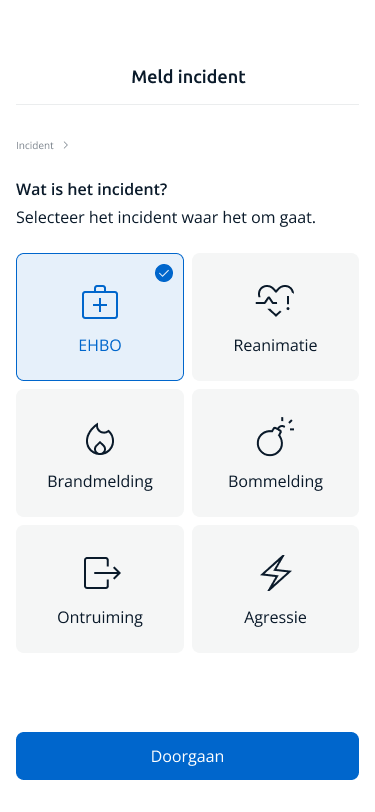
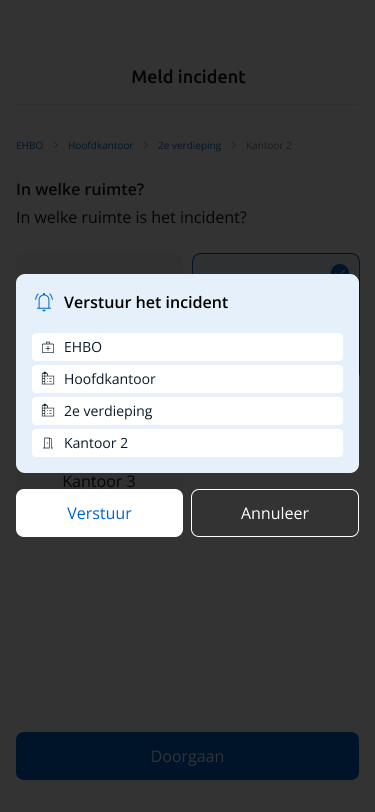

Native iOS and Android
The redesign covered both iOS and Android.
Rather than designing two completely separate products, I created shared UX patterns and interaction principles while still respecting native platform behaviour where appropriate.
This helped create a more consistent product experience across platforms and provided a clearer foundation for future development.
What changed
The redesign moved Picasse towards a more consistent and understandable emergency-response experience.
Complex registration and incident flows were broken down into clearer steps, error handling and system feedback became more explicit, and organisations with multiple locations could be supported through clearer routing logic.
At the same time, the refreshed UX patterns and visual direction created a more consistent foundation across iOS and Android and made room for new communication and escalation functionality.